Product Pitch · Page 1/4
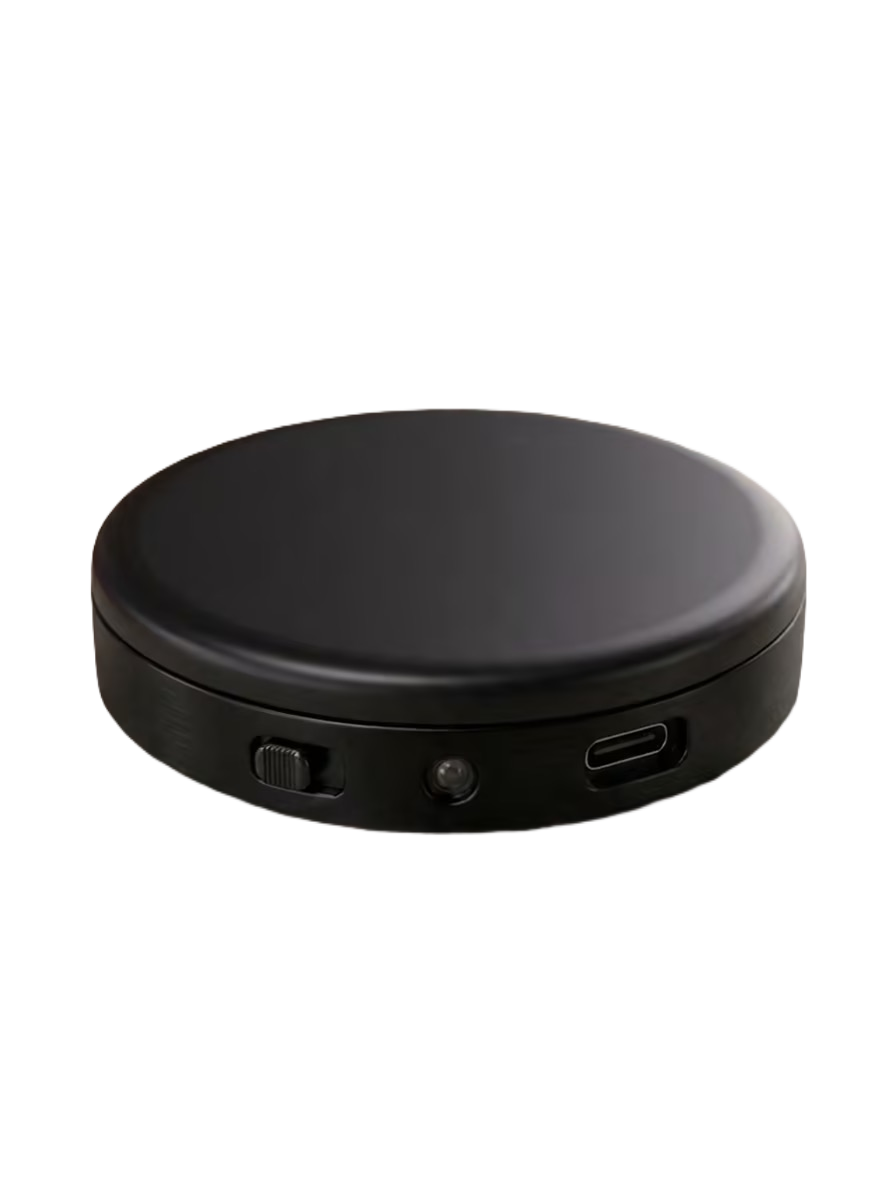
ClawRecorder · AI Voice Recorder
Moving voice data from the physical world to AI Agents in minutes
🏛️
Government · Law Enforcement
Meeting minutes, field evidence and patrol records — uploaded to government AI hubs the moment recording ends, minute-level SOP response.
🏢
Business · Operations
QA reviews, shop-floor inspections and sales debriefs — voice flows straight into MCP/Skill workflows to speed up digital asset accumulation.
🏘️
OPC Community
Repairs, community councils and elderly care — effortless slide-to-record with AI Agents auto-sorting and dispatching tasks.
🔬
Professional Use
Interviews, legal evidence and ward rounds — upload on finish; transcripts feed AI knowledge-base semantic search.
🎙️
Physical World
Sound waves · Vibration
→
⚡
Low-power Controller
Multi-channel Hi-Fi ADC
Hi-Fi capture
Hi-Fi capture
→
📡
Bluetooth Transfer
Upload on finish
Auto upload
Auto upload
→
📱
ClawRecorder App
Sign-in sync
→
🤖
AI Agents
15+ Agent
MCP+Skill
MCP+Skill
Santi Tech (stkj) · ClawRecorder Project
Product Pitch · Page 2/4
From Pain to Efficiency: O(n) → O(1)
Rebuilt from first principles — information is no longer static files, but flowing particles.
| Dimension | Traditional | ClawRecorder |
|---|---|---|
| Data Pipeline | Record → Cable export → File transfer → Manual transcription → System entry → Task dispatch | Slide to record → Bluetooth upload when done → Transcribed in ClawRecorder App → MCP/Skill → AI Agent execution |
| End-to-end Latency | Hours (serial waits between steps) | Minutes (upload-on-finish · parallel automated pipeline) |
| SOP Response | A person listens to recordings before acting — long "signal-to-response" cycles | AI Agents start understanding and executing the moment audio arrives |
| Ecosystem Integration | Isolated systems, custom integrations required one by one | Native fit with 15+ AI Agents, reusing 110K+ Skills + 1000+ MCP servers |
100×+
End-to-end latency cut
(hours → minutes)
(hours → minutes)
15+
Mainstream AI Agents
deeply integrated
deeply integrated
110K+
Reusable Skills
ecosystem scale
ecosystem scale
55×12 mm
Case size
diameter × height
diameter × height
~3.5 hours
Continuous recording
~4 days
Standby
📡
Upload on Finish · Zero Effort
Audio uploads over Bluetooth to your phone the moment recording ends; the app transcribes it and stores the text in the cloud — no cables needed. Open the app within 30 seconds after stopping to sync; long recordings are split and synced automatically, so nothing is lost.
🔗
Shortest Path: Voice → AI Agent
From the recorder card to the ClawRecorder App, MCP/Skili plug straight into Agent workflows — no extra subscription.
🎯
Hi-Fi Capture · Multi-Agent
Multi-channel hi-fi capture circuitry preserves vocal detail; deeply integrated with 15+ Agents.
Qualitative: SOP shifts from "listen, then act" to "AI understands instantly" · digital assets flow actively instead of sitting archived
Quantitative: latency cut by ≥2 orders of magnitude · ready for large-scale deployment
Case Summary · Page 3/4
Case Studies: From Physical World to AI Workflows
🎙️ Case Overview
Our in-house smart voice recorder card ClawRecorder seamlessly injects voice data into the MCP & Skill ecosystems of 15+ mainstream AI Agents including OpenClaw, WorkBuddy, Doubao Work, Hermes Agent, Claude Code and Youdao Longxia (Feishu, Notion and Jira links also live). Slide to record — AI auto-generates documents, weekly report emails, tickets and assessment reports, shrinking end-to-end voice-to-data turnaround for individuals and teams to minutes.
🎙️
Slide to Record
Meetings · Visits · Interviews
→
📡
Bluetooth Transfer
Upload on finish
→
📱
ClawRecorder App
Sign-in sync
→
🤖
AI Agent
15+ Agent · MCP
→
📄
Auto Output
PRD · Weekly emails · CRM · Reports
📋
Reviews / Project Meetings
Extract requirements, action items and conclusions; draft PRDs, open Jira tickets and assign owners automatically.
📊
Weekly Sync / 1:1
Aggregate weekly meeting recordings into report emails and personal to-do lists while tracking OKRs.
🤝
Client Visits / Calls
Auto-update CRM follow-ups, summarize clients in weekly emails, keep every visit on record.
👥
Hiring Interviews
Score candidates on tech / communication / project experience; assessment reports sent to hiring groups automatically.
More scenarios: retail selling (flagship) · support QA · onboarding · developers
🛍️
Retail / Jewelry Stores
Slide to record as the customer walks in, slide back when the visit ends — follow-up notes are written automatically, building customer files and replayable top-seller scripts.
🎧
Support QA
Slide to record just before the call connects and capture it end to end — compliance checkpoints, customer sentiment curve and improvement notes are produced automatically.
📚
Onboarding / Knowledge Capture
Record veterans' reception, calls and Q&A end to end; AI distils them into onboarding SOPs and an objection-handling library.
🧑💻
Developers / FDE
The recorder card plus the airec-dev skill wires meeting-minutes automation into a client's existing systems — a demo-ready AI deployment.
Slide to record → AI drafts PRDs, weekly emails, CRM entries and assessments straight into your workflow
ClawRecorder App · Page 4/4
Five Tabs That Turn Recordings Into Digital Assets
Home for status · Sessions for transcripts · Device for battery & firmware · Me to sign in and turn on cloud sync · AI tab to just ask
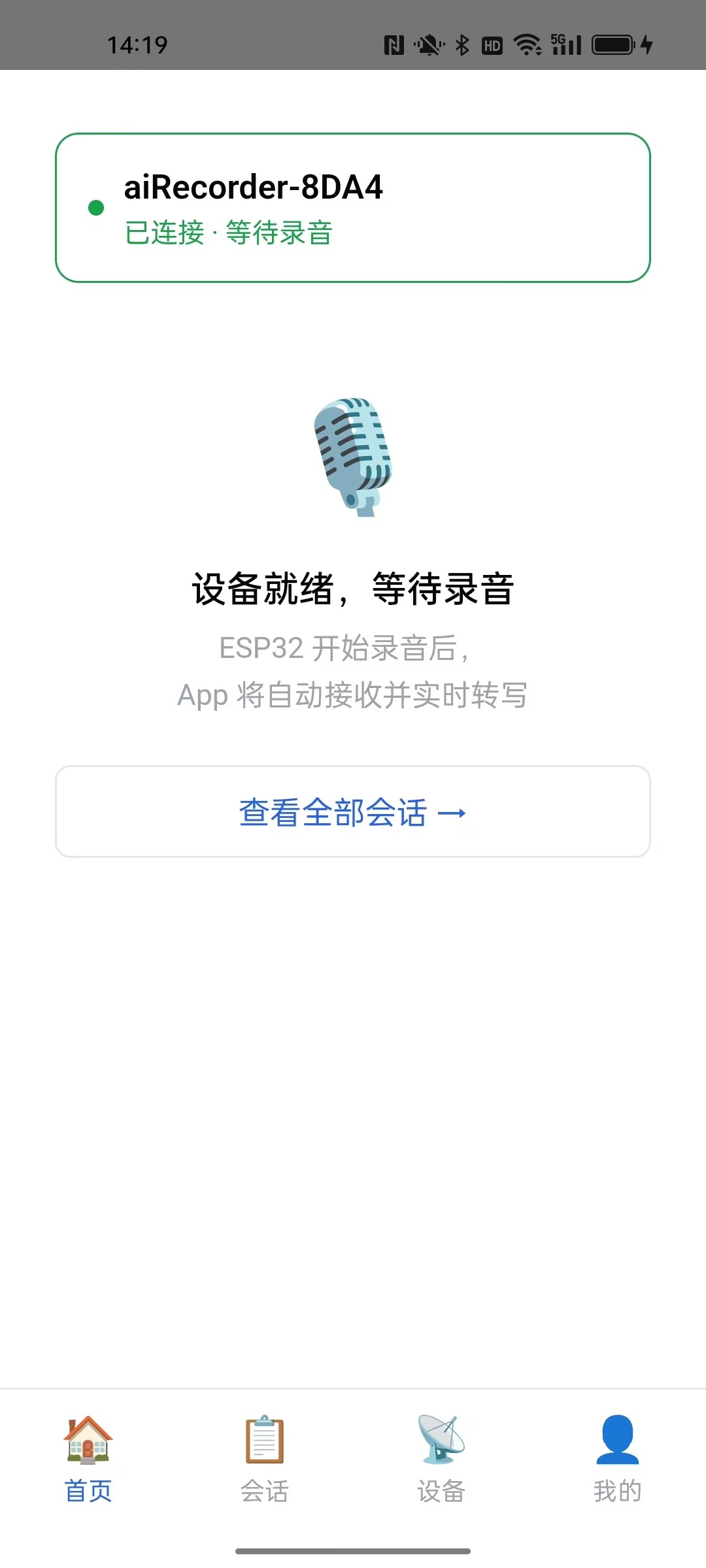
🏠 Home
Live connection status; a red banner with timer shows while recording — your recording state at a glance.
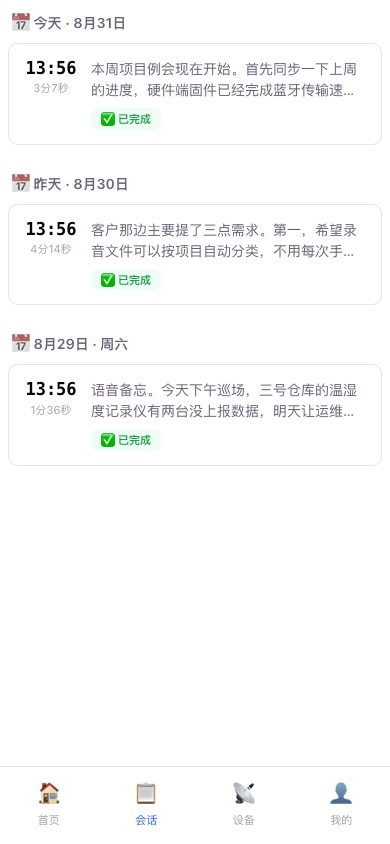
📋 Sessions
Recordings are grouped by Today / Yesterday / date. Only sessions with completed transcription appear in the list, each with its duration — tap to read the full transcript.
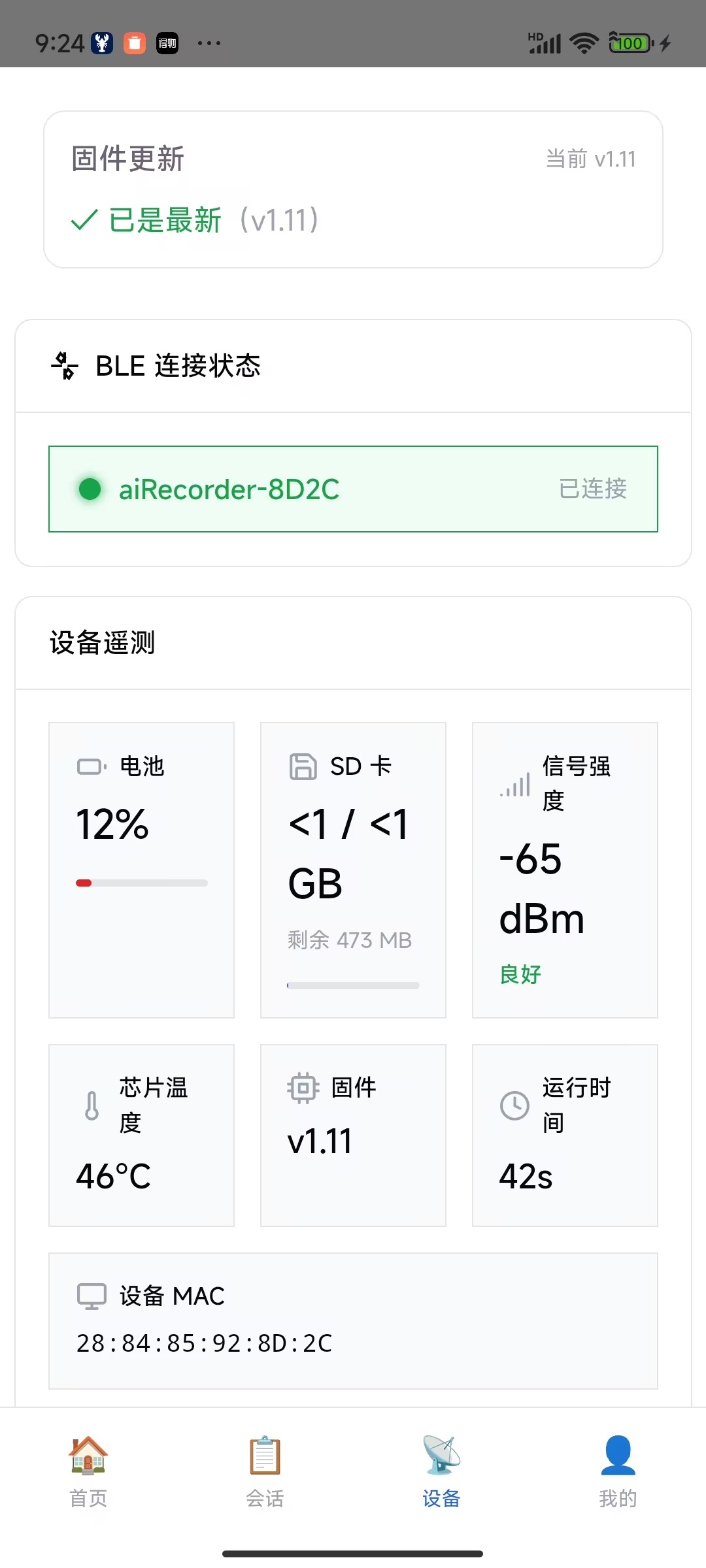
📡 Device
My recorder: the app auto-connects and binds it the first time it opens — device name and MAC suffix at a glance, with “switch device” or unbind anytime. Below, six telemetry tiles: battery / SD card / signal strength / chip temperature / firmware; when a new firmware is available, join Wi-Fi (2.4GHz only) to upgrade.
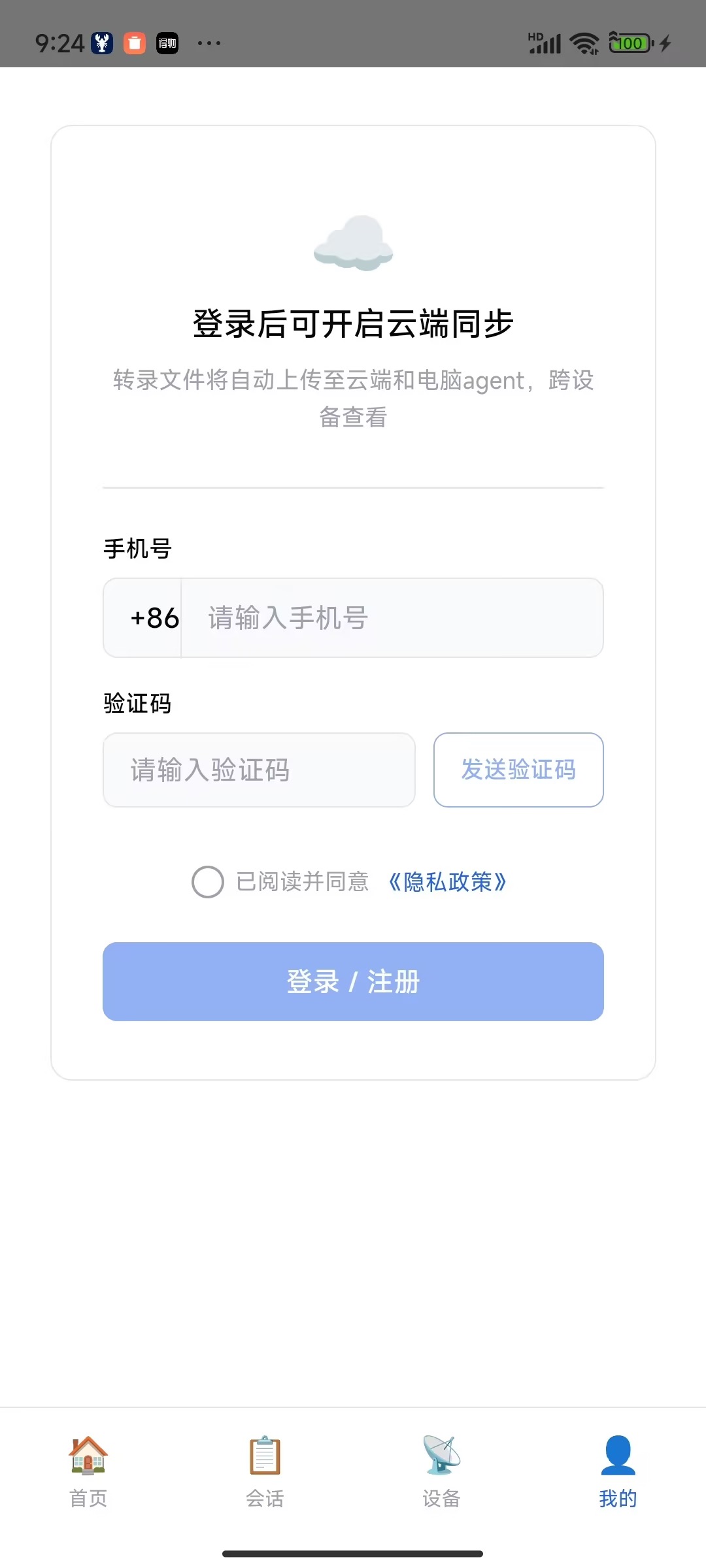
👤 Me
Sign in first — phone number + verification code. Signing in turns on cloud sync: transcripts are uploaded to the cloud and your desktop agent automatically, viewable across devices — install the airec-cli skill on desktop to read them.
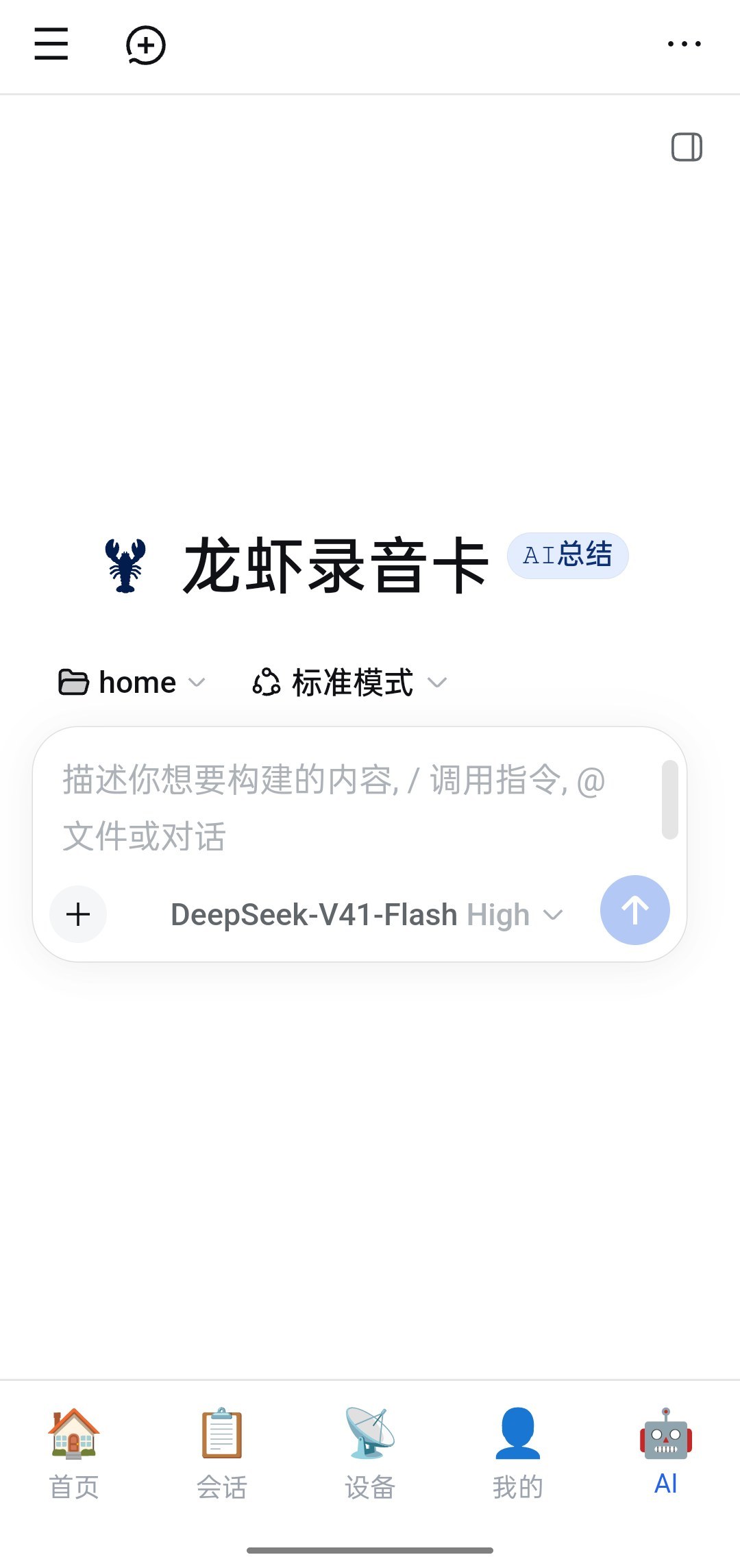
🤖 AI Tab
No computer needed: the AI tab reads the transcripts already on your phone and turns the content into meeting minutes or key points, or any format you ask for. Add your own DeepSeek API key once in settings; an internet connection is required. Handing the result onward — sending it to WeCom, creating action items or syncing calendars — still runs through the desktop skill.
Douyin ID: 67169082504 (search the Douyin app for more how-to videos)
Record → Upload on finish → App transcription → Cloud → Agent, fully automated end to end